Apply and renew a license
Apply and renew a license
Insignal runs only under a license file that Insignal signs. The install loads it. You apply a new file when Insignal sends a renewal or a change, such as more seats.
What a license holds
| Field | Meaning |
|---|---|
| License ID | Identifies the license |
| Customer | Your customer record at Insignal |
| Seats | The most enabled users the install may have |
| Valid from and until | The license’s term |
The license works offline. Insignal checks its signature with a key built into the release.
See the license
- In the app: Admin › License shows the status, seats in use, customer, license ID and the last check-in.
- On the machine:
sudo insignal statusprints the license, its end date and seats in use.
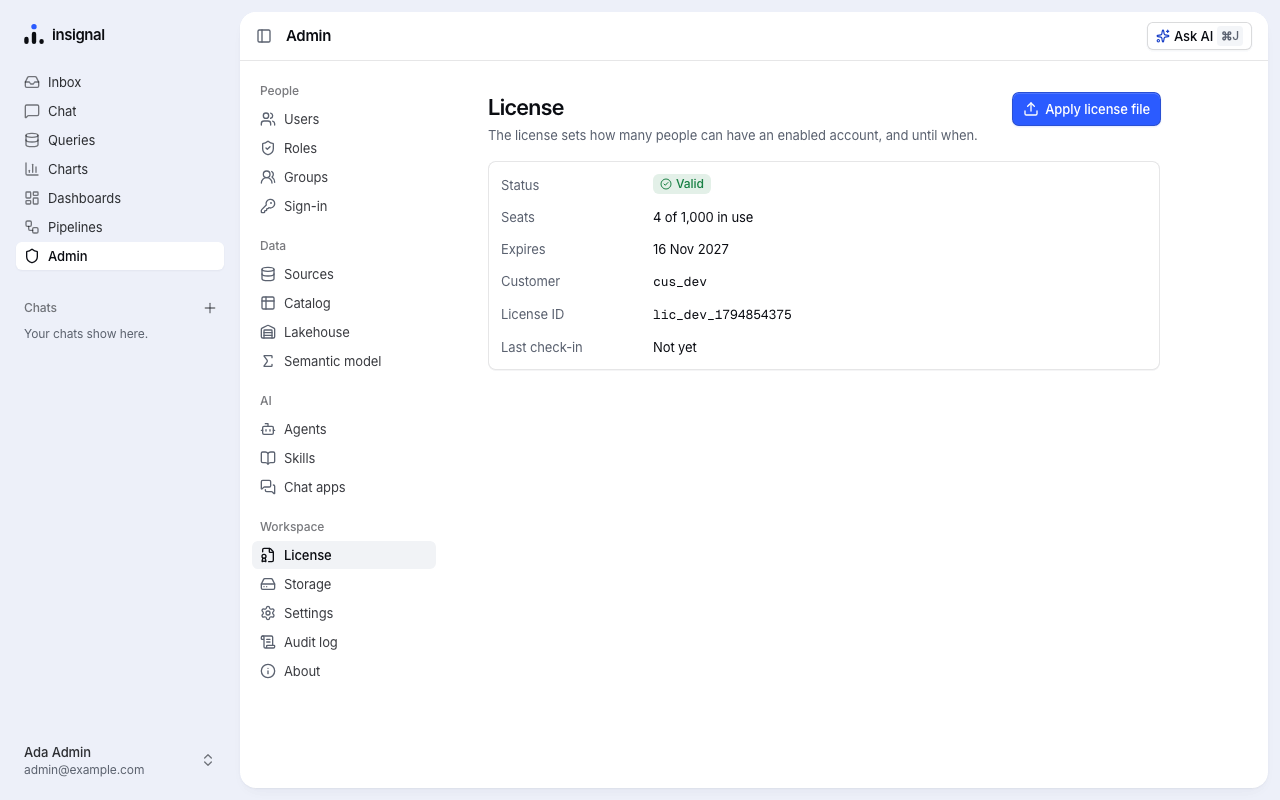
Apply a new license
Either way works, and neither needs a restart. The server picks up the new license within seconds.
In the app. Open Admin › License, choose Apply license file, and pick the file.
On the machine.
sudo insignal license apply <license file>
Insignal refuses a license issued before the one in use. It also refuses a file with a bad signature or past its end date.
When seats run out
A seat is one enabled user. Agents, connected AI tools and service accounts do not take seats.
When every seat is in use, Insignal refuses to create or re-enable a user, and says why. A first single sign-on sign-in that would add a user is refused the same way. Disabling a user frees the seat at once. To add seats, ask Insignal for a new license.
When the license ends
| When | What happens |
|---|---|
| 30 days before the end date | Admins see a banner asking for a renewal |
| The end date | The banner says the license expired. Everything still works |
| 14 days after the end date | The install turns read-only |
Read-only means people can sign in and view what is there. Nobody can change anything, run queries, refresh charts, chat or sync sources. Admins can still sign in and apply a new license, which lifts read-only at once. Insignal never deletes data when a license ends.
A license that Insignal revokes counts as expired from the day the check-in learns of it.
The daily check-in
Once a day, the server sends license.insignal.ai:
- the license ID,
- a random ID for this install,
- the Insignal version,
- the number of enabled users.
It sends no customer data and no user names. The reply only says whether the license is revoked. It never extends or changes a license.
If the check-in cannot get through, Insignal keeps working. After 7 days without a successful check-in, admins see a warning. sudo insignal status shows the date of the last check-in.
If the server will not start
The server refuses to start without a license, or with a license whose signature does not check out, and logs why. Run sudo insignal logs server to read the reason. Ask hello@insignal.ai for a license.